Connect a model and a backup input
How to give an agent a model — a Claude or ChatGPT subscription, another vendor's key or Amazon Bedrock — and how to add a backup input in case of a limit.
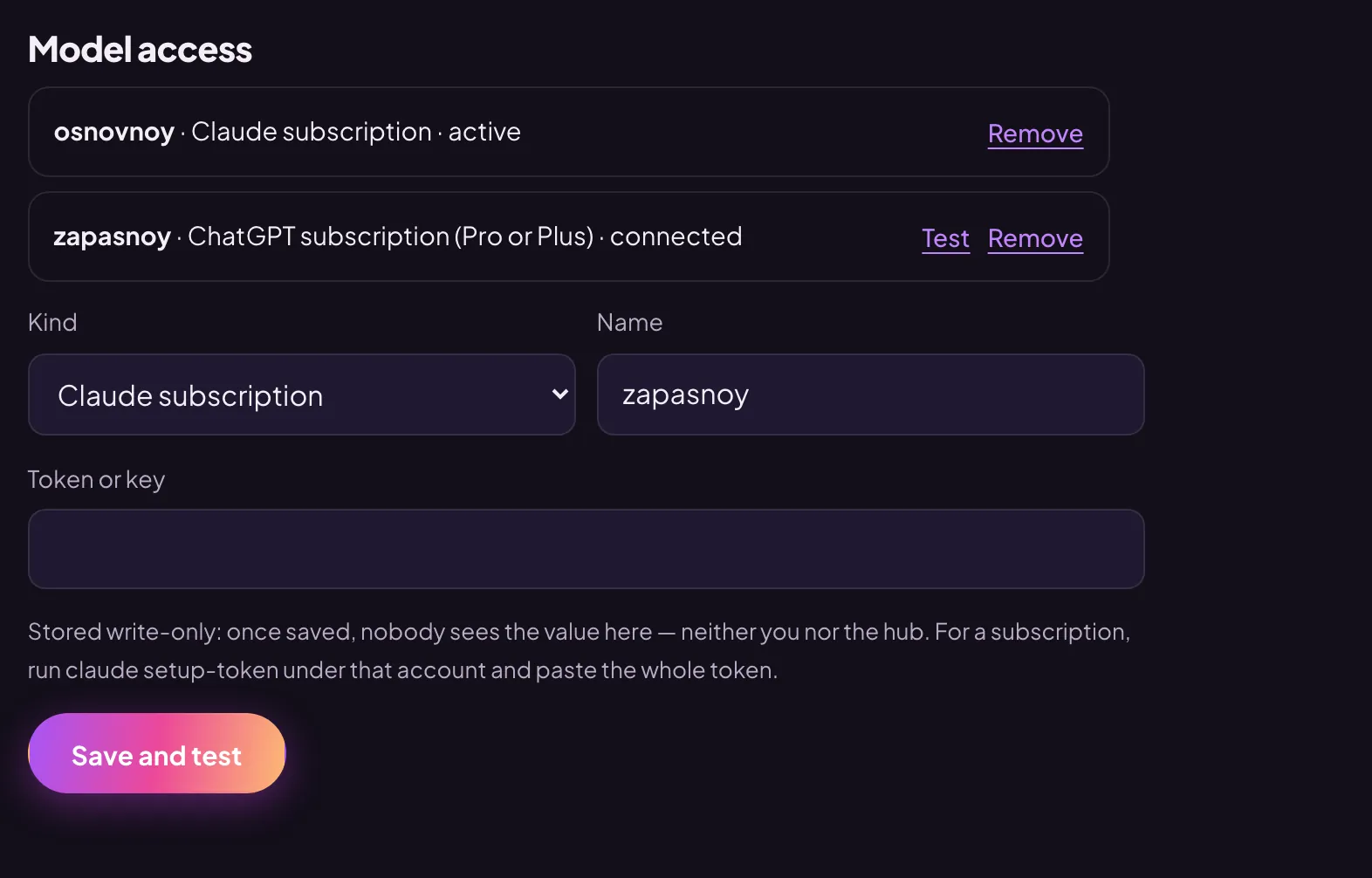
All inputs go into one place: the agent card → the “Connection” tab → the “Model access” section. The value is write-only: once saved, nobody sees it — not you, not us — and it never reaches the agent’s memory.
A Claude subscription
- On your computer, under the Claude account that has the subscription, run
claude setup-tokenin a terminal. Claude Code must be installed. - Copy the whole token — it starts with
sk-ant-oat. - In the “Model access” section, choose “Claude subscription” in the “Kind” field. You can keep the suggested name.
- Paste the token into the “Token or key” field and press “Save and test”.
- The result of the test appears within a minute in the “Commands” section of the “More” tab.
A ChatGPT subscription
- First turn on device code sign-in in ChatGPT: Settings → Security.
- In the “Kind” field, choose “ChatGPT subscription (Pro or Plus)” and press “Connect”.
- Within a minute a code appears in the section. Press “Open the sign-in page”, sign in to ChatGPT with your account and enter the code.
- Once the input is connected, it says “connected” next to it. If the code has expired, press “New code”; to test a connected input, press “Test”.
Another vendor’s key
For DeepSeek, GLM, Kimi, MiniMax or Qwen, choose the “another vendor” kind, then the vendor in the “Vendor” field — each one says where it keeps data. Paste the key: both the vendor’s subscription and its regular API work. For Qwen you also need the Alibaba Model Studio workspace address.
Amazon Bedrock in your AWS
If your organisation has this kind, choose “Amazon Bedrock in your AWS”. The model then runs in your AWS account and is billed to your AWS bill.
- Open the hint “How to set up the role in your AWS” and do what it says: enable access to Anthropic models in Amazon Bedrock, create an IAM role with the trust policy from the hint and give it the permissions from the second policy.
- Paste the role ARN into the “Role ARN in your AWS” field and enter the “Bedrock region”.
- In the “Where to process” field, choose “EU only” or “global — all models” and press “Save and test”.
A backup input
The second input is added the same way as the first — the name “zapasnoy” is suggested for it right away. The first input you add is the main one. When it hits a limit, the agent carries on with the next one, and it retries the main input from time to time. With no input at all, the agent replies that it has no model access yet.
Remove an input
Press “Remove” next to the input in the list. Do not remove the last one: without an input the agent cannot answer.